One workspace for every coding agent, on your computer.
Bring the coding agent you already use. Each space holds a checkout, the agents working on it, and the terminals, browsers and documents they open. Every space sits in one sidebar on your computer, and it’s all still there tomorrow.
v2.4.0 · in active development
Mac (Apple silicon) · Windows · Linux x64: AppImage, deb
A working sample of Realm. Click anything.
What a realm holds.
A realm is one space in Realm: a project, with everything its work needs kept beside it.
- The checkout
- Your code, one checkout or several, with a checkpoint at every turn.
- The terminal
- Real terminals beside the agent, which it can read and answer.
- The browser
- A browser that stays signed in, for agents to read and drive. It stops at a consent screen.
- The tools
- Linear, GitHub, Slack, Notion and your own MCP servers. Agents get the tools, never the credentials.
- The boundary
- On a Mac, a sandbox that keeps credential folders unreadable. It's off by default.
- The agent
- Claude Code, Codex, Cursor, Gemini and more, each with its own login and models.
That's a realm. Make one for every project. None can reach another's tools, and each is right where you left it.

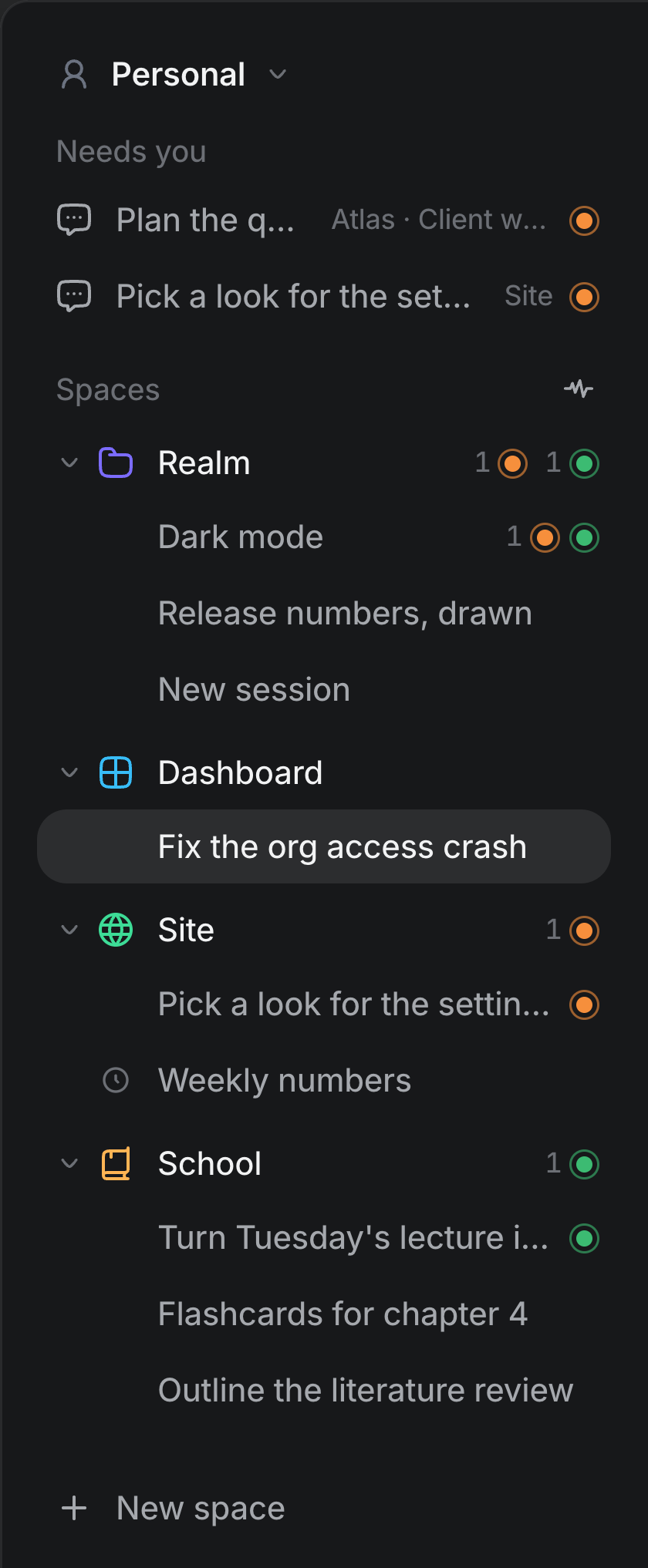
Every space in one sidebar.
Each space gets its own section, with a count of what's waiting and working. Needs you sits on top and collects every session waiting on you, from every space and every profile.
A transcript you can read.
Tool calls fold into rows you can open, and a reply can carry a chart, a diagram or a comparison. A turn that changes files ends with a card listing each one, its diff a click away.

Bring the agent you already use.
Each agent below runs with its own login, models and permission modes. Realm never asks for an API key.
- Claude Code
- Codex
- Cursor
- Gemini
- OpenCode
- GitHub Copilot
- goose
- Qwen Code
- Grok
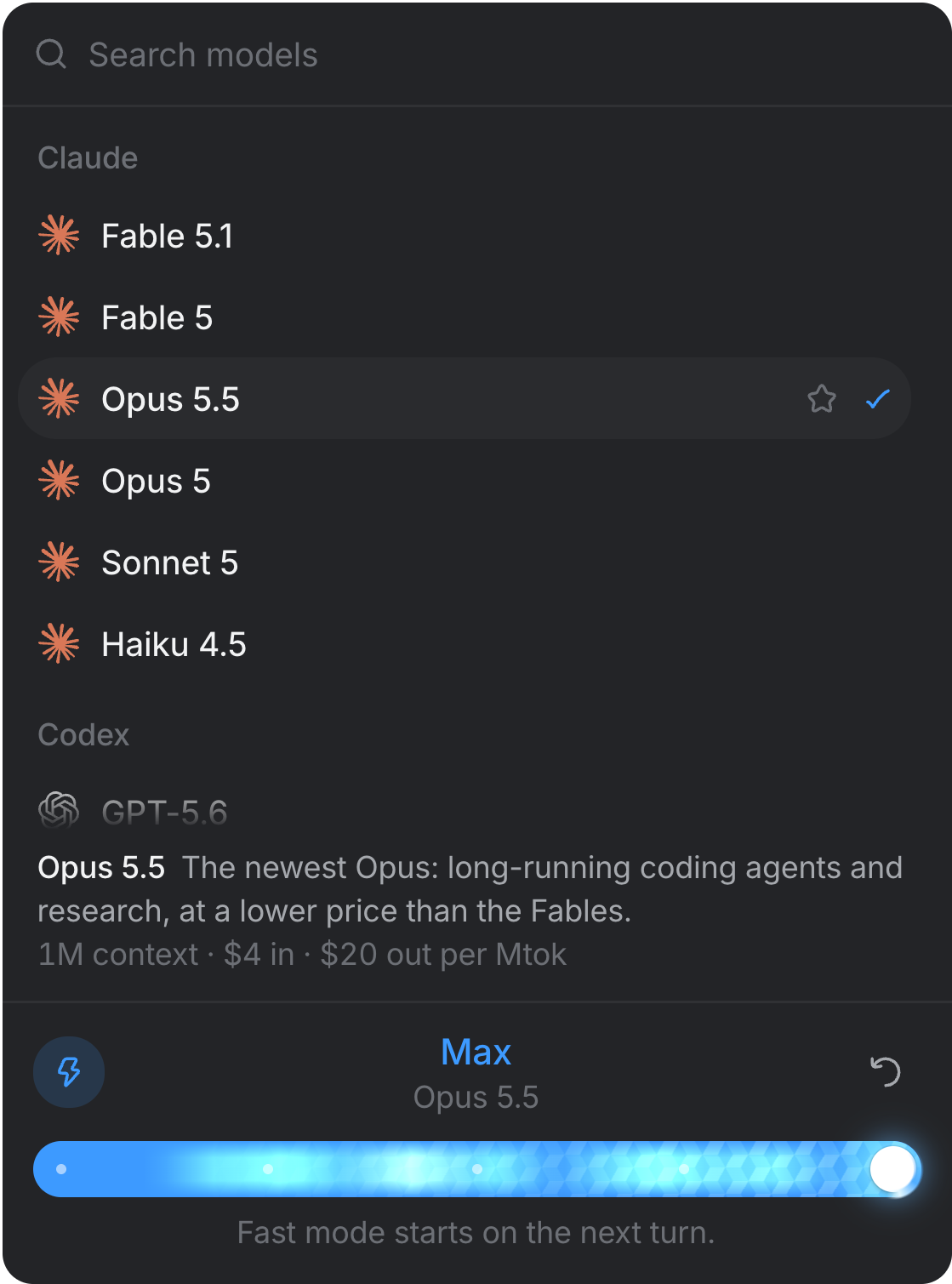
Hand work to other models.
Ask in plain words, like “have GPT-6 Luna build this”, or pick models in the session's Agents tab. The session's agent splits up the work and starts a sub-agent on each model.
- One agent can start more.
- Each sub-agent is a real session in the space, so you can open it and watch it work.
- Several at once.
- Independent tasks run in parallel, and every sub-agent asks for permission like any other session.
- Two levels deep, and that's it.
- A sub-agent can hand work off once more. Past that, Realm says no.
- Everything comes back.
- Each sub-agent sends a final report to the agent that started it.

Your tools, without your credentials.
Linear, Notion, Slack, GitHub, Jira, Figma and Sentry connect to a space in one click. Agents reach them through Realm and never get the credential, and every call is logged.

Review pull requests without handing over GitHub.
Code review reads your pull requests through your own gh, so Realm never holds a GitHub token. A reviewer on the model you pick leaves findings on the page, and nothing reaches GitHub until you press Submit review.

Confine what an agent can touch.
On a Mac, a space can run its agents and terminals in a macOS sandbox that keeps the checkout writable and credential folders unreadable. It's off by default, and the network stays open.

Work that outlives the window.
realm-server keeps running after you close the window, so a long turn finishes either way. Tasks can run on a schedule, and every run is a session you can pick up from.

New in Realm 2.1
A team in every space.
Give a space roles that each work toward a goal, on their own schedule, and hand work along to one another. Every role wears a Realmite whose face is its run’s state, never a mood. What the team makes waits in Review, and nothing is posted, sent or published until you approve it.
Newsletter · 4 roles
Hold every draft to the style guide before it reaches you.
Hands work to You, in Review
Review2 waiting
Thursday's newsletter
Editor · 1,240 words · 3 stories · links checked
Three posts for the launch
Content Producer · Scheduled for 4:10 PM, after you approve
Where the work lives.
- On your computer
- Transcripts, documents and checkpoints live under ~/Realm.
- No account
- Nothing to sign up for, and nothing you make is uploaded.
- No API key
- Realm drives the agent CLIs you have, on your own plan.
- Mac, Windows and Linux
- Signed and notarized on the Mac. The source is on GitHub.
Questions
Which agents can I run?
Claude Code and Codex have their own adapters. Cursor, Gemini, OpenCode, GitHub Copilot, goose, Qwen Code, Grok and others speak the Agent Client Protocol and share one. Claude needs no install, because Realm ships with Claude Code, and Codex installs and signs in during first run. You install the rest yourself, and Realm checks what's on your computer and gives you the exact install or login command for anything that's missing.
Do I need an API key?
No. Realm drives the CLI you already have, on whatever plan or key you already pay for. It never proxies a provider's traffic and never asks for a key.
Where does my work live?
On your computer, under ~/Realm. Transcripts, documents, skills and checkpoints are files and a SQLite database on disk. Nothing is uploaded, and there's no account to make.
Can an agent read my tokens?
Not through the gateway. Connections are proxied per space: the agent calls Realm, Realm calls the server, and the credential stays on Realm's side. At rest, it depends on the kind. On a Mac, an app you connect in a click stores an OAuth token encrypted with a Keychain key. A key or header you paste into a custom MCP server is stored in Realm's database in plain text, and the app says so next to the field. Saved website sign-ins are the strictest: encrypted, never handed to an agent, and on a Mac every fill needs Touch ID.
What does it run on?
macOS on Apple silicon, Windows, and Linux on x64 as an AppImage or a deb. The Mac build is signed and notarized and updates itself. The Windows and Linux builds are previews. They aren't signed yet, so Windows warns you before the installer runs, and you install new versions from the releases page. Computer use, device simulators, the sandbox, Laya, and Touch ID and Keychain sign-ins are Mac only.
Is it finished?
No. It's in active development, and the changelog is the honest record of what has landed. Things move fast, and some parts of the app are newer than others.
Give your agents a world to work in.
Point it at a checkout, start a session with an agent you already have, and leave the window open all day.
v2.4.0 · in active development
Mac (Apple silicon) · Windows · Linux x64: AppImage, deb