Work with agents
Sub-agents
A session's agent can hand parts of its work to sub-agents, on its own model or any other you have, and you can watch, answer and steer each one from the session's Agents tab.
A sub-agent is a real session in the same space, started by your session's agent with a task of its own. The agent that started it, its lead, splits the work, waits for the reports and answers to you for the result. Every sub-agent's transcript is kept, so you can read exactly what it did.

Asking for sub-agents
Ask your agent in your own words: "split this between three sub-agents", or "have GPT-6 Luna write the tests and Fable do the migration". It starts them with Realm's tools and gives each a short title, which is what you'll see on its card.
- Any model you have. A sub-agent can run on a different model from its lead, named the way you'd say it, and Realm runs it on the agent that has that model. Left unnamed, it runs on the lead's model.
- Its own checkout. Sub-agents working in parallel should each get a worktree, and the lead can give them one. Otherwise they work in the space's own folder, or a checkout the lead names.
- The space's tools. A sub-agent has the space's connections and skills, and the lead can narrow its skills further.
From the session's Agents tab you can also ask for this without typing the request yourself. Build with lists models; pick one or more, describe the plan or feature, and send it to the session's agent. Split by model gives each model its own part to write. The request still goes to your agent, which does the splitting.
Or start one yourself: + ▸ Add teammate… in the prompter adds a sub-agent on the model you pick, with a brief, in the session's folder or a worktree of its own. Your agent is told it joined and gets its report, and stopping your turn leaves it running. See Add a teammate.
Watching them work
While sub-agents run, a row over the prompter shows each one with its agent's mark, its state and its name, whoever needs you first (see Agents at work). The transcript shows a line for each, such as Sub-agent finished · Theme migration with its model and time. The session's Agents tab, in the side panel, has a card for each with:
- where it stands (Needs you, working, Done) and for how long
- the model and agent it runs on, its checkout and its permission mode
- how much of its time budget it has used
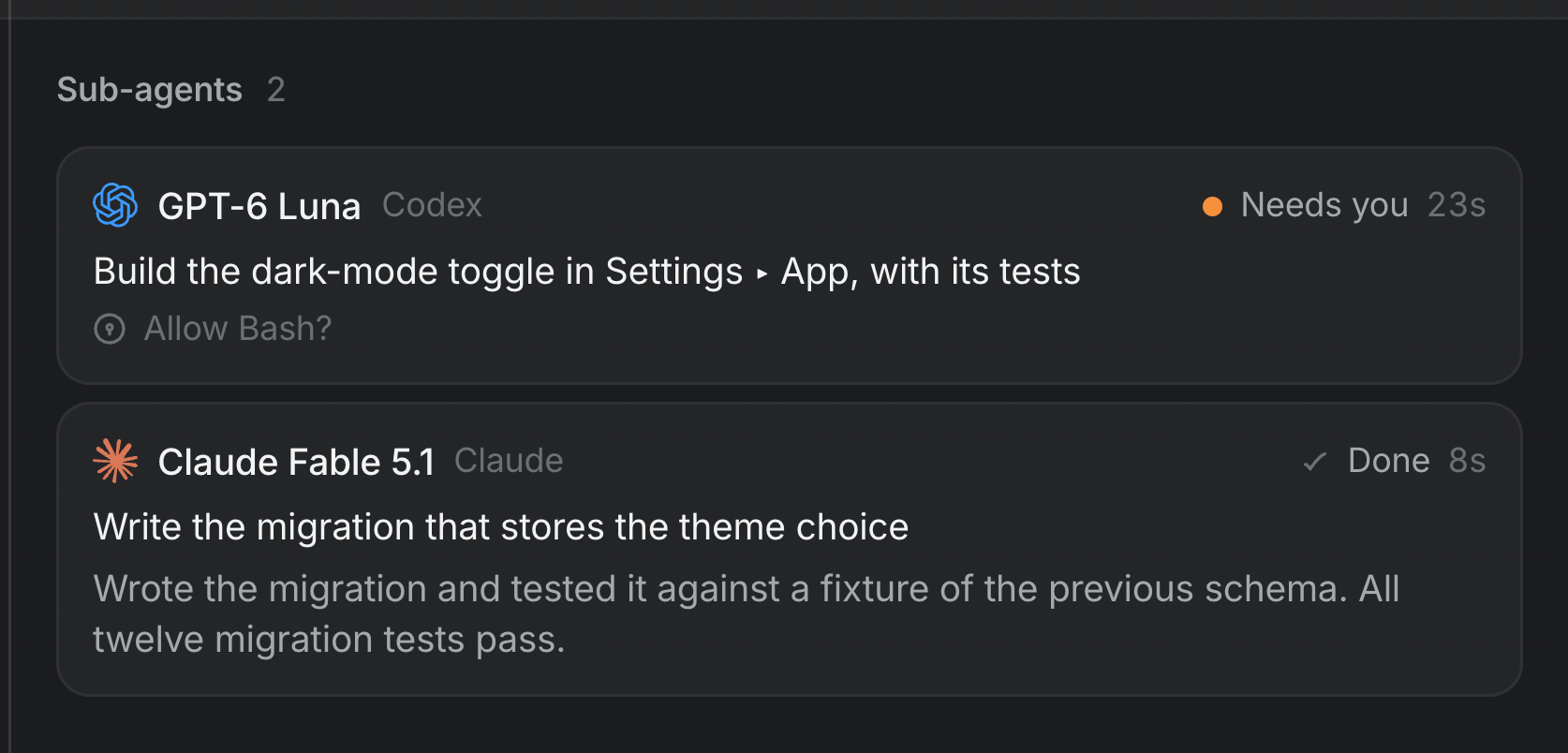
Click a card, a sub-agent's mark on the row over the prompter, or its line in the transcript, to open it in the side panel: its live transcript, its state, what it was asked, and what it reported once it finishes. Its requests can be answered there; Message this sub-agent writes to it alone, Stop stops it, and Open as session opens it with its own prompter.
Permissions
A sub-agent runs in its lead's permission mode, or a stricter one if the lead asked for less. A lead in Full access starts sub-agents in Full access. A lead on Ask each time starts sub-agents that ask, and their requests appear on their cards in the lead's Agents tab, where you answer them; the lead's row in the sidebar counts them.
Limits
| Limit | Why |
|---|---|
| Up to 4 sub-agents running at once per session, and 12 across Realm | Each is a real agent with its own memory and often its own checkout |
| A time budget per sub-agent, about 11 minutes by default | Time spent waiting on you doesn't count. A sub-agent that runs out is stopped and reports what it had. |
| Sub-agents can't start sub-agents | The lead stays the one who coordinates |
The browser agent
One kind of sub-agent only browses. When a task is a sequence of steps on websites, the lead can hand it to a browser agent: a session whose only tools are Realm's browser tools, guided by Realm's browsing playbook, and limited to the sites the lead names if it names any. It opens its own pages in the side panel, which you can watch, and reports back when it's done. Like any sub-agent it can't start sub-agents, and it can't type a password, only ask to fill a saved one.
@ in a space that has a team starts that role as a sub-agent of your session.