Beside the session
Terminals
Real shells in your space's folder, beside the session, and a terminal for each session that you and its agent can both use.
Open a terminal
| To | Do this |
|---|---|
| Open a new terminal in this space | ⌘T, or File ▸ New Terminal |
| Show this session's terminal | ⌘J, View ▸ Show Terminal, or the side panel's + ▸ Terminal |
| Run one of the space's scripts | Run on the space page's Scripts tab |
A terminal is a login shell, started in the space's folder, so it has the PATH and setup your own terminal has. A tab is named for what it's running.
A session's own terminal opens as a tab of the side panel, or docked under the transcript: choose with Settings ▸ General ▸ Session terminal, Right or Bottom. Closing the dock keeps the shell running.
Scripts
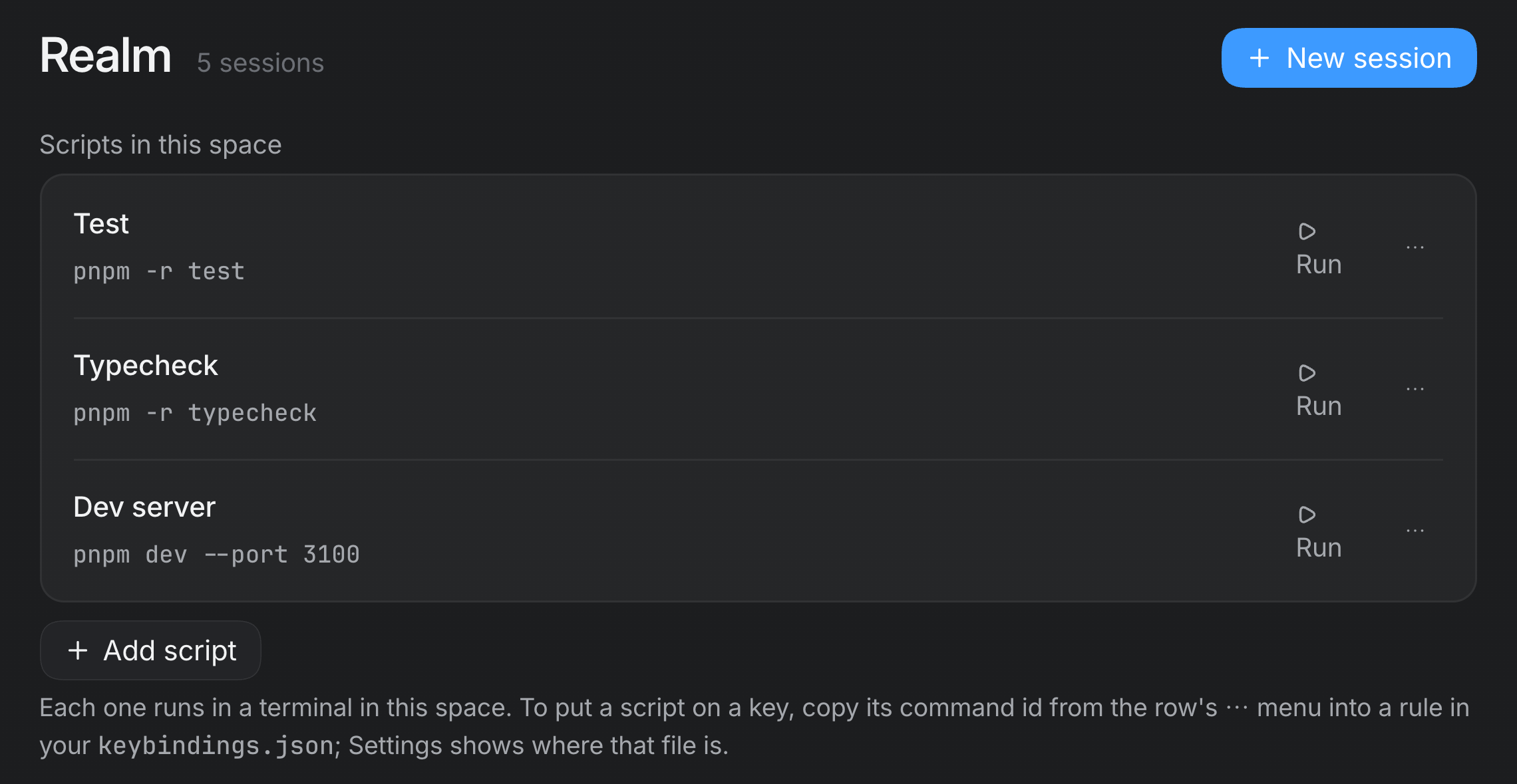
A space's Scripts tab keeps the commands you run there often. Add script names one, and Run starts it in a terminal in the space. To put a script on a key, copy its command id from the row's ⋯ menu into a rule in your keybindings.json (see Settings and shortcuts).
Closing and keeping
- The trash on a terminal's bar ends it: it closes the shell and removes the terminal. Because a shell can be holding work, it asks you to press again first.
- ⌘W only takes the terminal out of your layout. It stays in the space, and the palette opens it again.
- Turn on Settings ▸ General ▸ Keep terminal scrollback and a terminal comes back with its output after Realm restarts. It's off by default, because what a terminal printed can include anything a command echoed, and turning it off deletes what was kept.
Terminals and agents
Agents run their own commands with their own shell tools; those show in the transcript, not in a terminal. A terminal is for the programs that need one to talk back to: an interactive sign-in, a prompt that asks a question, a full-screen program. With Realm's terminal tools an agent can open a terminal in the space, read what's on its screen, type into it and wait for something to appear.
- Opening, typing into or closing a terminal asks you first in Ask each time and Accept edits, goes ahead in Full access, and is refused in Plan and Ask. Reading one never asks.
- An agent working in a terminal it didn't open, such as one of yours, asks you first.
- When an agent's CLI is signed out, its agent can open a terminal, run the CLI's own sign-in and open the sign-in page in a browser tab. Approving the sign-in on that page is your click, unless the space lets Realm finish sign-ins.